Send a quotation and get it accepted
Your client gets an email with a secure link. They can read the quotation, download a PDF, and accept it with a signature, all without an account.
Ways to send
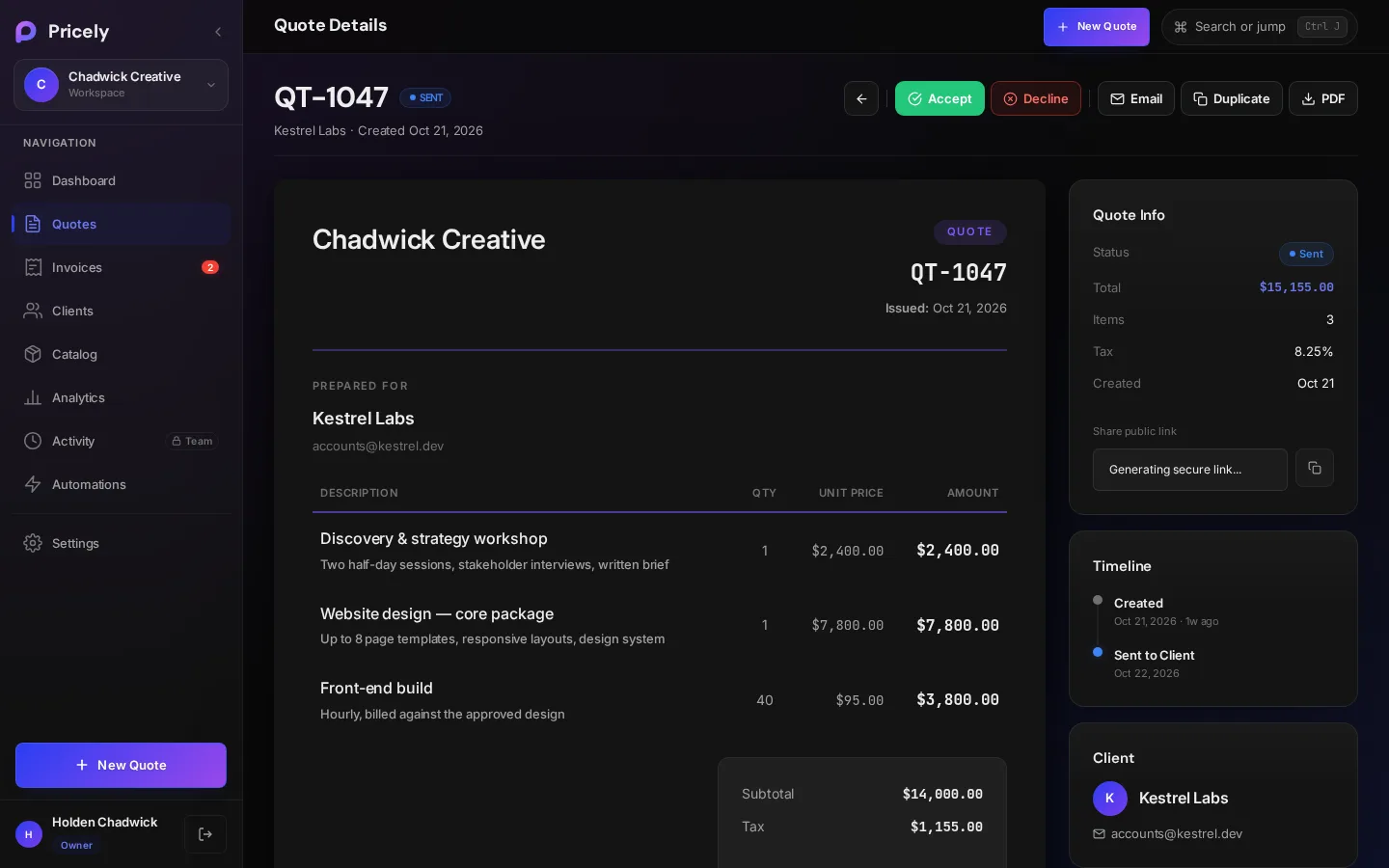
| Method | Where | Result |
|---|---|---|
| Save & Send | Last step of the quotation builder | Emails the client and marks the quotation Sent. |
| Quotation detail page | Emails the quotation link to the client. | |
| Copy link | Quotation detail page, under Share public link | Copies a secure link you can paste into any chat or email. |
| Quotation detail page | Downloads a PDF to attach yourself. | |
| Mark as Sent | Quotation detail page | Marks the quotation Sent without emailing, for quotations you delivered another way. |
The email your client receives
Emails come from Your Company via Pricely at documents@pricely.me, so they show your business name. The email links to the quotation on a secure page. Pricely sends up to 50 emails per hour per workspace.
What your client sees
The link opens a read-only page with your business details, the line items, totals, notes, terms and any deposit required. The client can save a PDF from the page. The first time they open a sent quotation, its status changes to Viewed and the timeline on your side records Client opened the quotation.
Accepting a quotation
- The client chooses Accept & Sign
They draw a signature with a mouse, finger or stylus. Clear signature lets them start again.
- Pricely records the acceptance
The quotation becomes Accepted and the timeline shows Client accepted the quotation.
- You invoice the work
Open the quotation and choose Create Invoice. See Quotation to invoice.
Clients can respond only while the quotation is open: it must be sent or viewed and not past its Expires On date. If a client declines, they're asked to confirm, and the quotation becomes Declined.
Following up
Quotations that were sent but haven't had a reply appear under Needs attention on the dashboard and in Waiting on a reply in Analytics›Pipeline. Use Email on the quotation to send the link again.