Activity log
A dated record of who did what in your workspace, from the first draft to the final payment.
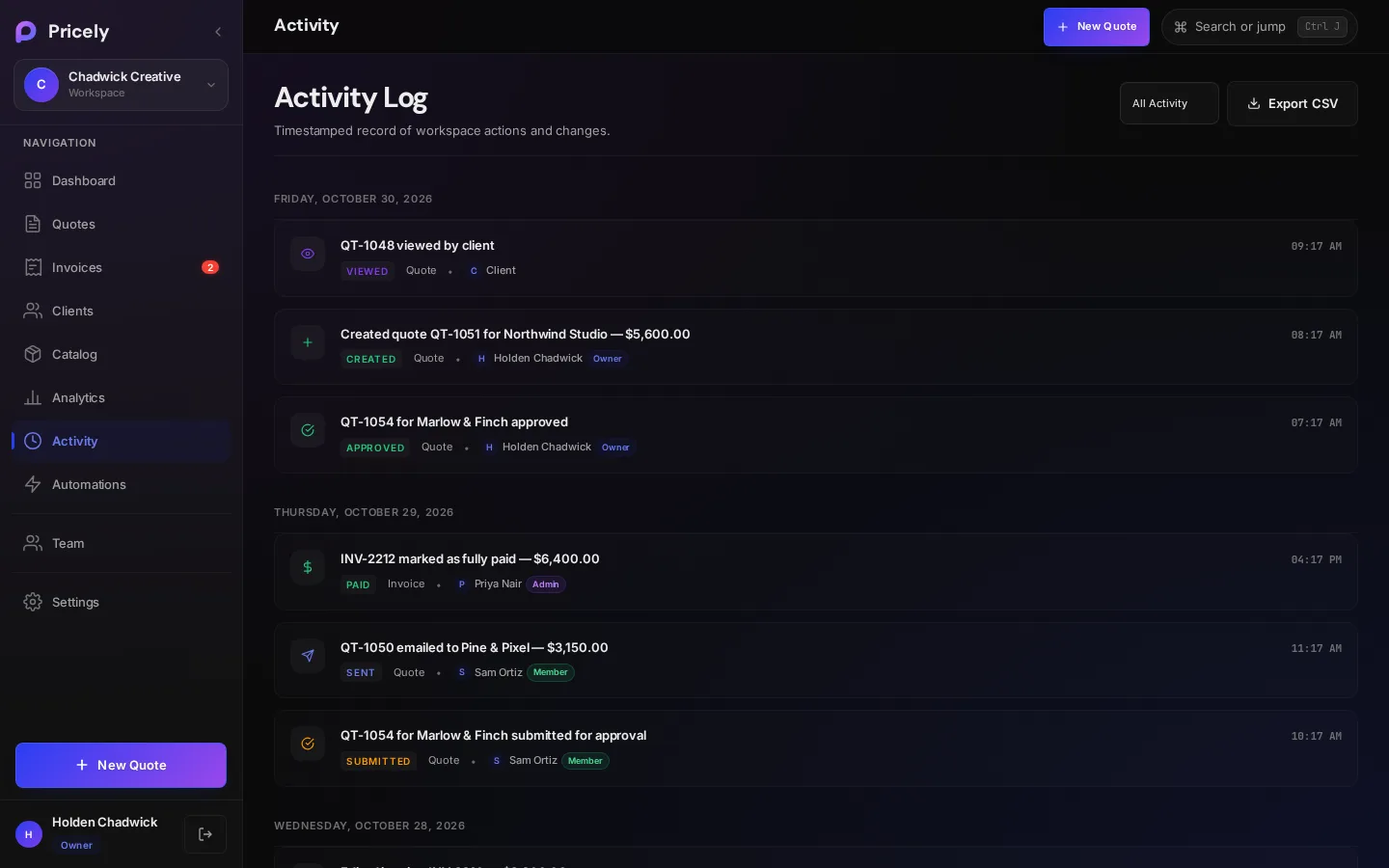
The activity log answers “who changed this, and when?” for the whole workspace. Open Activity in the sidebar.
Reading an entry
Entries are grouped under a date heading, such as Friday, October 30, 2026, newest first. Each entry shows:
- Action
- A coloured label such as Created, Sent, Payment, Approved or Status Change.
- Type
- What it's about: Quote, Invoice, Client, Settings, Backup or System.
- Description
- A plain sentence, for example Created invoice INV-0042 from quote QT-0042 or Voided invoice INV-0039.
- Who
- The person who did it. Things your client does, such as viewing or accepting a quote, show Client. Automatic actions show System.
- Time
- The time of day, in your browser's time zone.
What's recorded
Entries name the quote or invoice number and the client, so you can tell at a glance what changed.
| Area | What's recorded | Example |
|---|---|---|
| Quotes | Created and updated, duplicated, submitted for approval, approved or sent back, emailed, accepted or declined by the client, and status changes | QT-1056 for Marlow & Finch submitted for approval |
| Invoices | Created (quick, from a quote, deposit and balance, recurring), edited, emailed, marked paid, credit notes, late fees, voids and deletions | Edited invoice INV-0042 — $1,250.00 |
| Payments | Payments you record | Payment of $500.00 recorded via check |
| Clients | Added, updated, imported from CSV and deleted | Imported 24 clients from CSV |
| Recurring schedules | Created, paused, resumed and deleted, plus each invoice generated | Paused recurring invoice for Marlow & Finch |
| Catalog | Items added, updated and deleted | Added catalog item "Brand workshop" |
| Settings | Exports, backups, restores and data deletion | Full data backup downloaded |
Filter
Use the filter at the top to show All Activity, Quote, Invoice, Client, Payments or Settings. Days with no matching entries are hidden. The Payments filter shows both recorded payments and invoices marked paid.
Export
Export CSV downloads pricely-audit-log-YYYY-MM-DD.csv with one row per entry:
| Column | Example |
|---|---|
| Timestamp | 2026-10-30T15:04:05.000Z (UTC) |
| Action | paid |
| Entity Type | invoice |
| Description | INV-0042 marked as fully paid — $4,800.00 |
| Actor | The person's name, or System |
| Actor Role | owner, admin, member, or unknown for older entries |
The quote timeline
Every quote also has its own Timeline on its detail page, on every plan. It shows that quote's history, such as when it was sent, viewed and accepted, without the rest of the workspace.
Plans
The activity log is included on Team and above. On other plans the Activity page explains what it includes and links to plans.