Team and roles
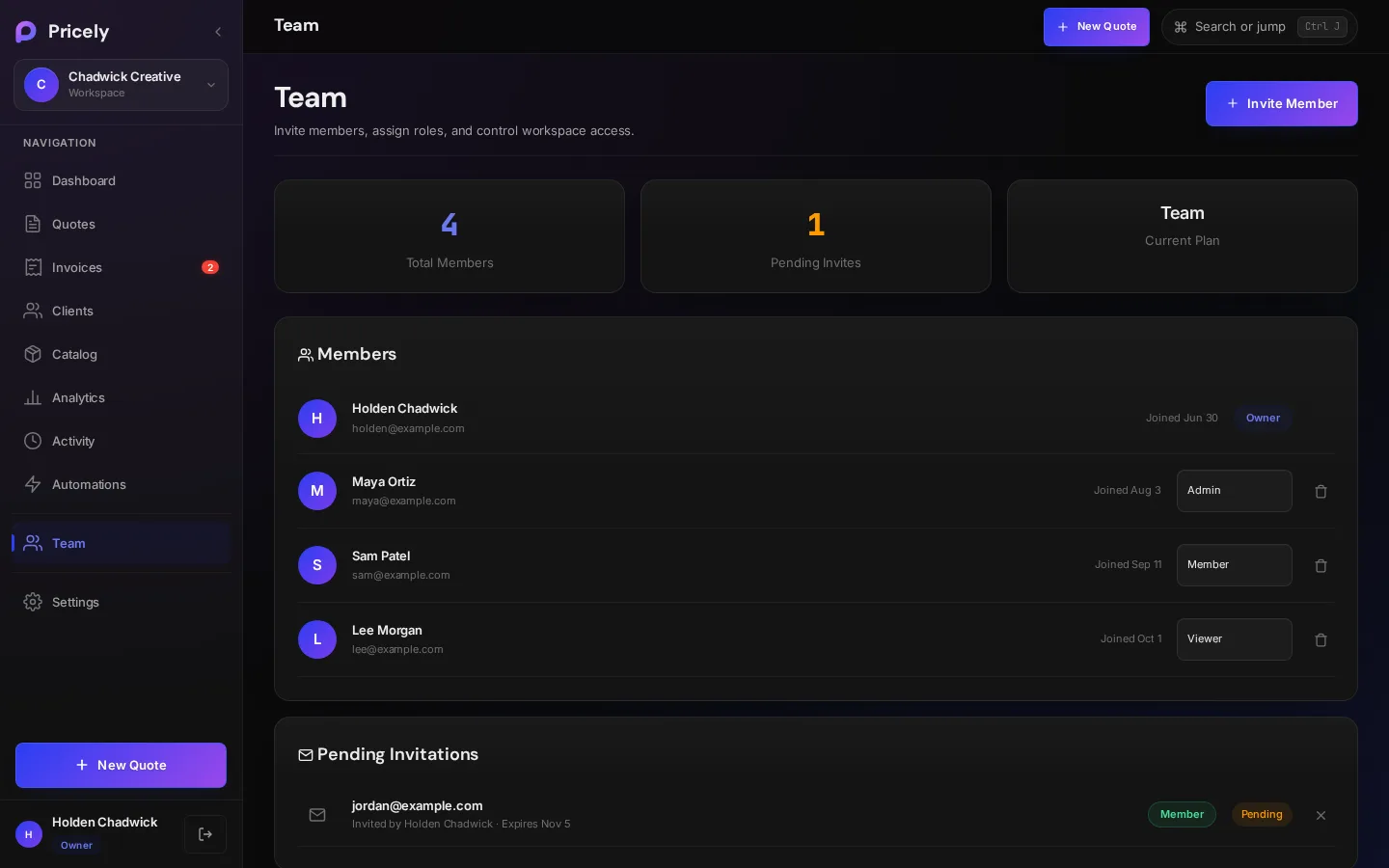
Work on quotes and invoices together in one workspace, with roles that decide who can create, send, delete and change settings.
Seats by plan
Team workspaces start on Team. The seat count includes you and any pending invites.
| Plan | People in the workspace |
|---|---|
| Free and Pro | 1 |
| Team | 5 |
| Business | 25 |
| Enterprise | Unlimited |
When you're at the limit, Pricely shows Team Limit Reached with a link to plans.
Invite a teammate
- Open the Team page
Choose Team in the sidebar. Only owners and admins see it.
- Invite
Click Invite Member, enter their email address and pick a role.
- Send the invite
Click Send Invite. Pricely emails the invitation to that address from invites@pricely.me, with your name and the workspace name. You'll see Invitation emailed. You can also share this link: with a private link you can Copy and send yourself, by chat for example.
- They accept
Your teammate opens the link and logs in, or creates an account, with the same email address you invited.
Roles
| You can… | Owner | Admin | Member | Viewer |
|---|---|---|---|---|
| View quotes, invoices, clients, catalog and reports | ✓ | ✓ | ✓ | ✓ |
| Create, edit and send quotes and invoices | ✓ | ✓ | ✓ | — |
| Record payments | ✓ | ✓ | ✓ | — |
| Add and edit clients | ✓ | ✓ | ✓ | — |
| Delete quotes, invoices and clients | ✓ | ✓ | — | — |
| Manage the product catalog | ✓ | ✓ | — | — |
| Export reports and the activity log | ✓ | ✓ | — | — |
| Invite and remove teammates | ✓ | ✓ | — | — |
| Edit settings | ✓ | ✓ | — | — |
| Change a teammate's role | ✓ | — | — | — |
| Billing and danger-zone actions | ✓ | — | — | — |
The person who creates the workspace is its owner. To change someone's role, pick a new one from their row on the Team page. To remove someone, click Remove.
Workspace settings
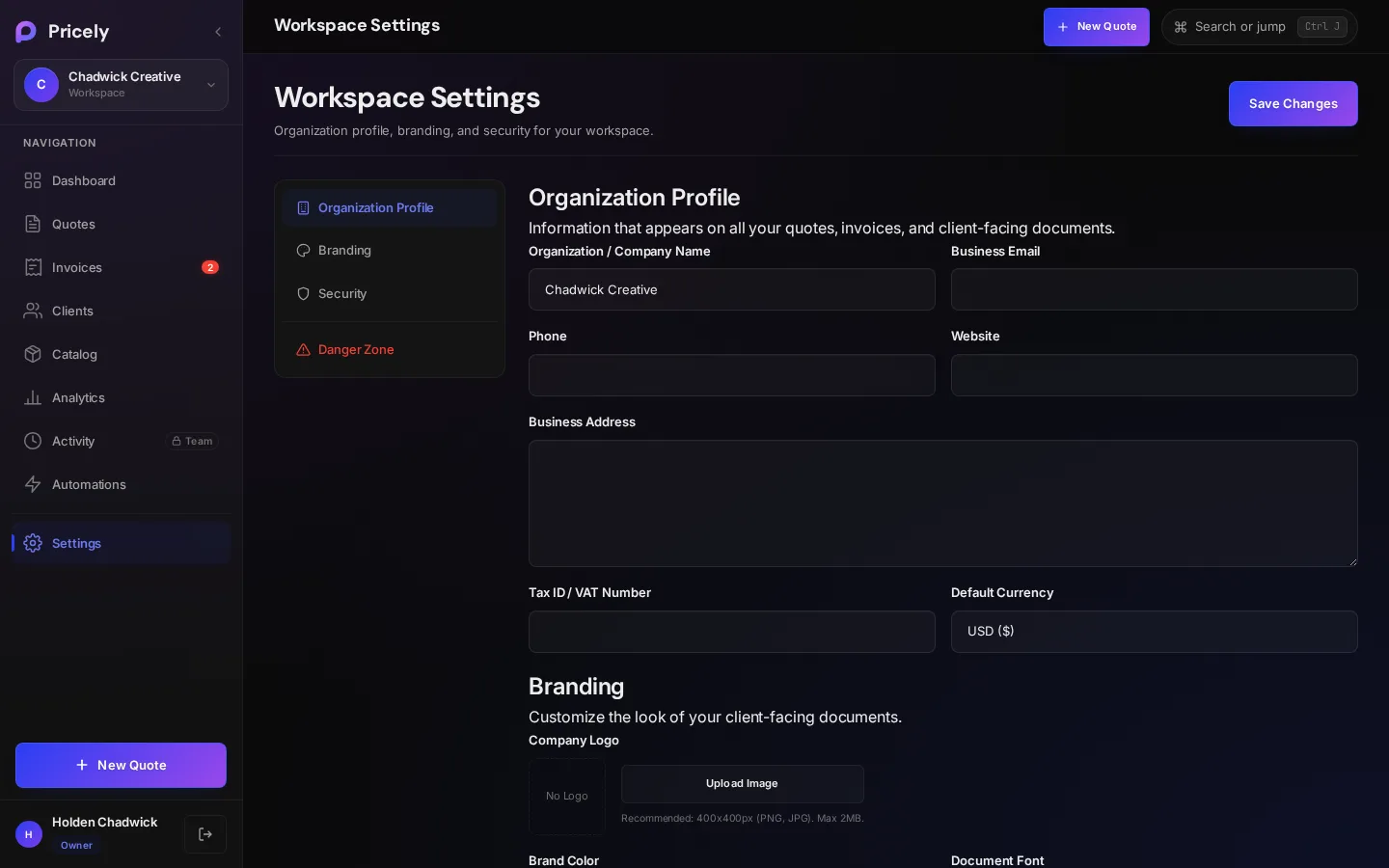
Click your workspace name in the sidebar to open workspace settings.
| Section | What's there |
|---|---|
| Organization Profile | Company name, business email, phone, website, address and Tax ID / VAT number. |
| Branding | Company logo (PNG or JPG, up to 2 MB), brand color, document font, default currency and footer text. |
| Team Members | A shortcut to the Team page. |
| Security & Access | Your role and the workspace ID. |
| Danger zone | Delete the workspace. You type the workspace name to confirm, and it can't be undone. |