Clients
Your client list doubles as a lightweight CRM: contact details, lifetime value and every quote and invoice for each client in one place.
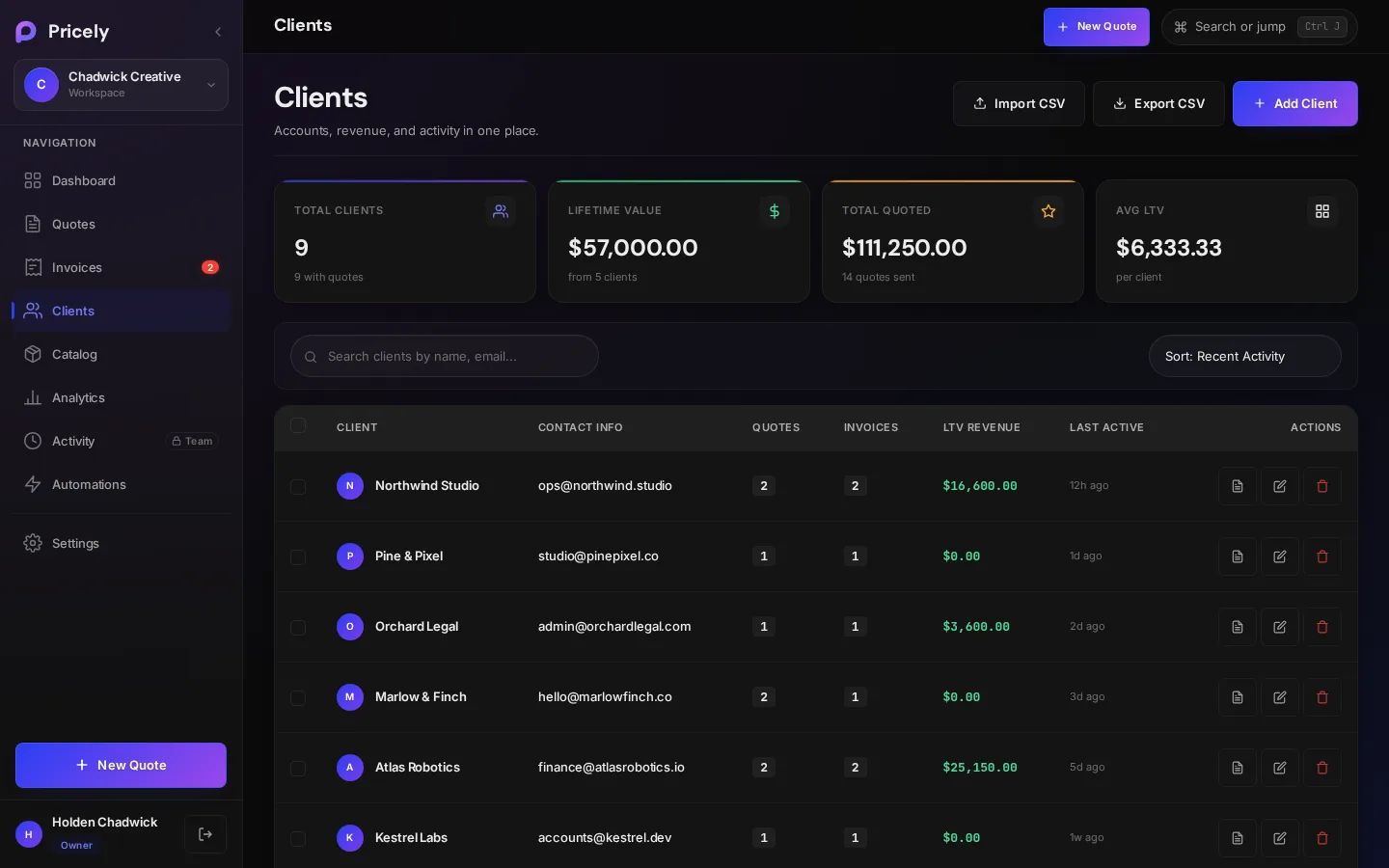
Add a client
Choose Add Client on the Clients page, press C anywhere, or use Quick add client while building a quote.
- Primary Contact Name Required
- The person you deal with.
- Company Name
- Optional. Shown with the contact name.
- Email Address
- Needed to email quotes and invoices, and to use the client portal.
- Phone Number
- Optional.
- Billing Address
- Printed on documents.
- Internal Notes
- Private notes for you and your team. Clients never see them.
Import clients from CSV
Bring your existing client list over in one go. Click Import CSV in the Clients header at any time, whether your list is empty or already has clients, and pick a .csv file. Most spreadsheet apps, CRMs and accounting tools can export one.
- Export or save a CSV
Save your list as CSV with a header row first, then one client per row.
- Import it
Click Import CSV on the Clients page and choose the file.
- Check the result
Pricely tells you how many clients it added and how many were already in your list.
| Field | Accepted headers | |
|---|---|---|
| Name | name, client, client name, contact or full name | Required |
email, email address or e-mail | Optional | |
| Phone | phone, phone number or telephone | Optional |
| Company | company, company name, business, organization or organisation | Optional |
| Address | address, street or billing address | Optional |
Headers aren't case-sensitive, and other columns are ignored. If the file has a company column but no name column, the company is used as the client name.
name,email,phone,company,address
Jane Doe,jane@example.com,+1 555 0100,Northwind Studio,"12 Harbor St, Portland"
Sam Lee,sam@example.com,,Lee & Co,- Spreadsheet-friendly. Quoted cells, commas and line breaks inside quotes, and files saved by Excel with a byte-order mark all import correctly.
- No duplicates. A row is skipped if a client with the same email is already in your list. A row without an email is skipped if you already have a client with that name and no email. Duplicates inside the file are skipped too, so importing the same file twice is safe.
- Rows without a name are skipped.
- Each import is recorded in the activity log, for example Imported 24 clients from CSV.
| Message | What it means |
|---|---|
| Imported 24 clients · 3 already in your list | 24 new clients were added and 3 rows matched clients you already had. |
| All 12 clients are already in your list. | Nothing new to add. |
| CSV must include a header row and at least one client. | The file is empty or has only a header. |
| CSV needs a "name" column. | No name, client, contact or company column was found. Rename the column and try again. |
| Imported 4 of 9. Your Free plan holds 10 clients at a time. | On Free, the import stops when you reach 10 clients. Delete clients you don't need or upgrade, then import again; clients already added are skipped. |
Find and sort clients
- Four numbers at the top: Total Clients, Lifetime Value, Total Quoted and Avg LTV.
- Search by name or email with Search clients by name, email…
- Sort by Recent Activity, Name A–Z, Highest LTV or Most Quotes.
Each row shows the client's quote and invoice counts, lifetime revenue and when they were last active, with buttons to view, edit or delete.
A client's page
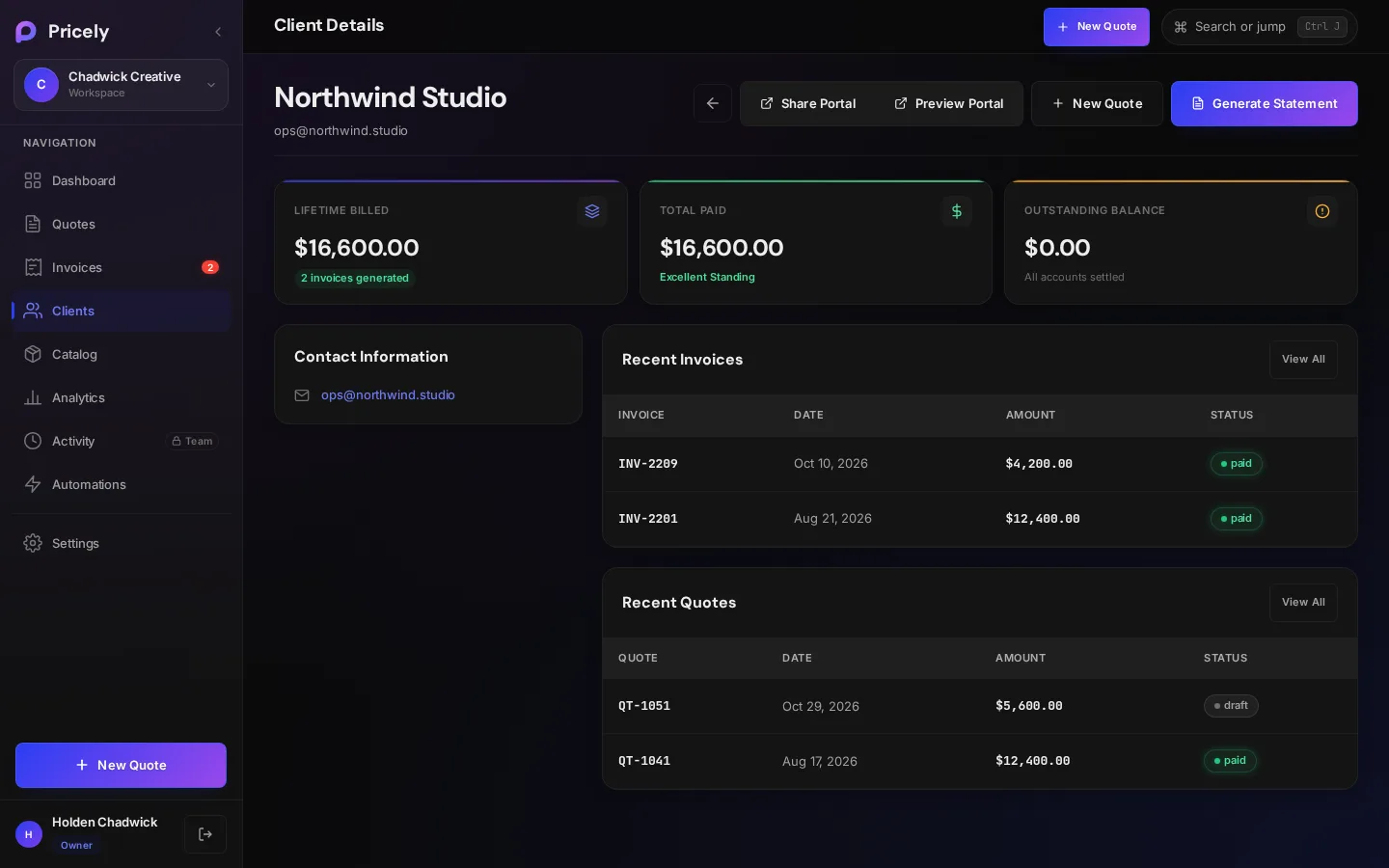
- Lifetime Billed, Total Paid and Outstanding Balance.
- Contact Information and Internal Notes.
- Recent Quotes and Recent Invoices, each with View All.
| Button | What it does |
|---|---|
| Share Portal | Copies the client's portal link. Needs a client email. |
| Preview Portal | Opens the portal as your client sees it. |
| New Quote | Starts a quote with this client already selected. |
| Generate Statement | Downloads a PDF statement of the client's unpaid invoices. |
Export your client list
Export CSV downloads every client with name, email, phone, company, quote and invoice counts, revenue, total quoted, address and notes.
Delete a client
Deleting a client is permanent. Their quotes and invoices are kept, but any active recurring invoice schedules for them are cancelled.