Analytics
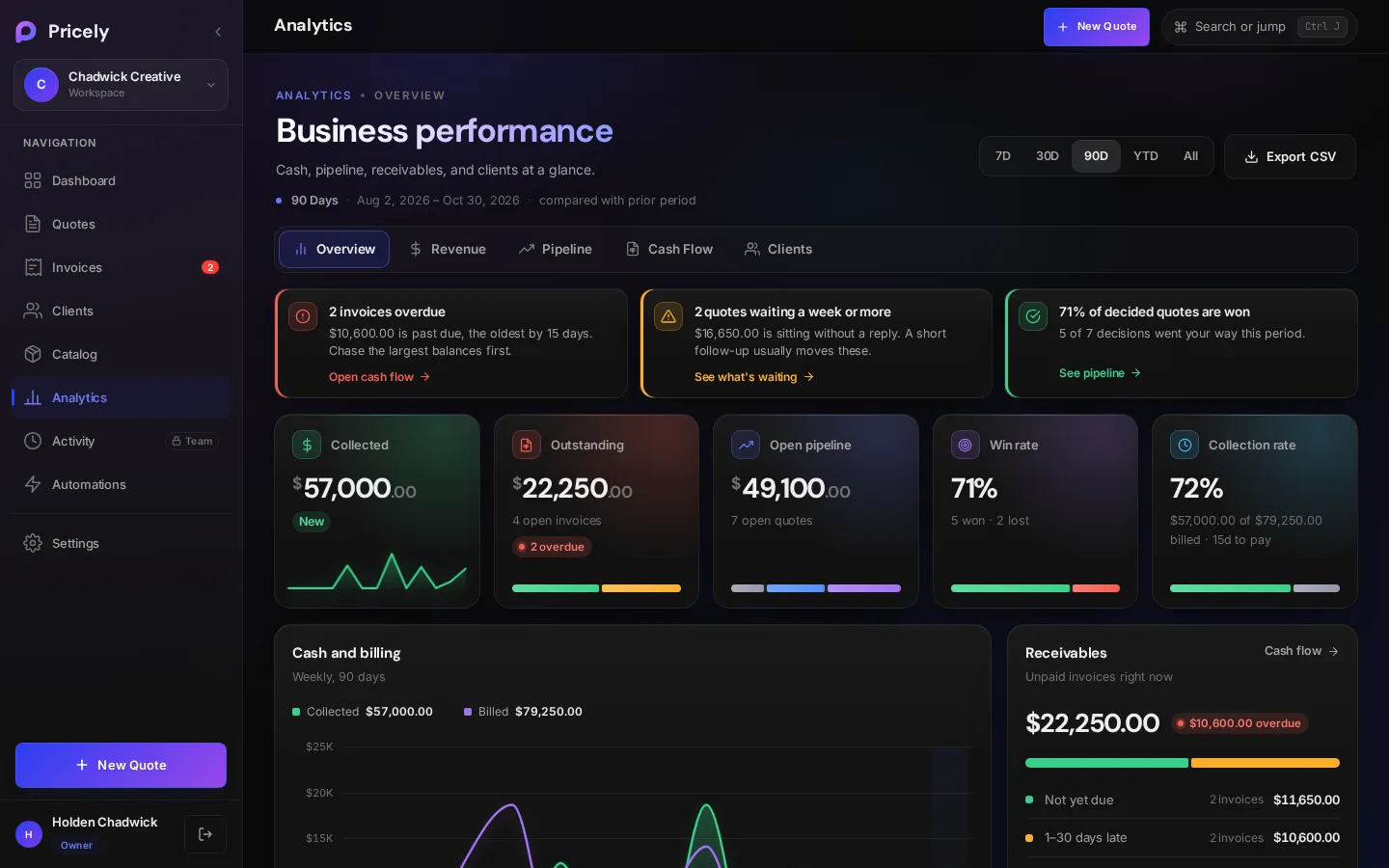
Five reports answer the questions that matter: what you earned, what's in the pipeline, who owes you, and who your best clients are.
Pick a period
Every report uses the period you choose at the top: 7 Days, 30 Days, 90 Days (the default), This Year or All Time. Where it makes sense, numbers are compared with the period just before. This Year is compared with the same stretch of last year.
The reports
| Tab | Answers | Highlights |
|---|---|---|
| Overview | How is the business doing? | Cash and billing, quote funnel, receivables, top clients and recent activity |
| Revenue | What did I quote, bill and collect? | Billed and collected over time, a period breakdown and a three-month outlook |
| Pipeline | Where do my quotes stand? | Quote funnel, win rate, quotes ready to invoice and quotes waiting on a reply |
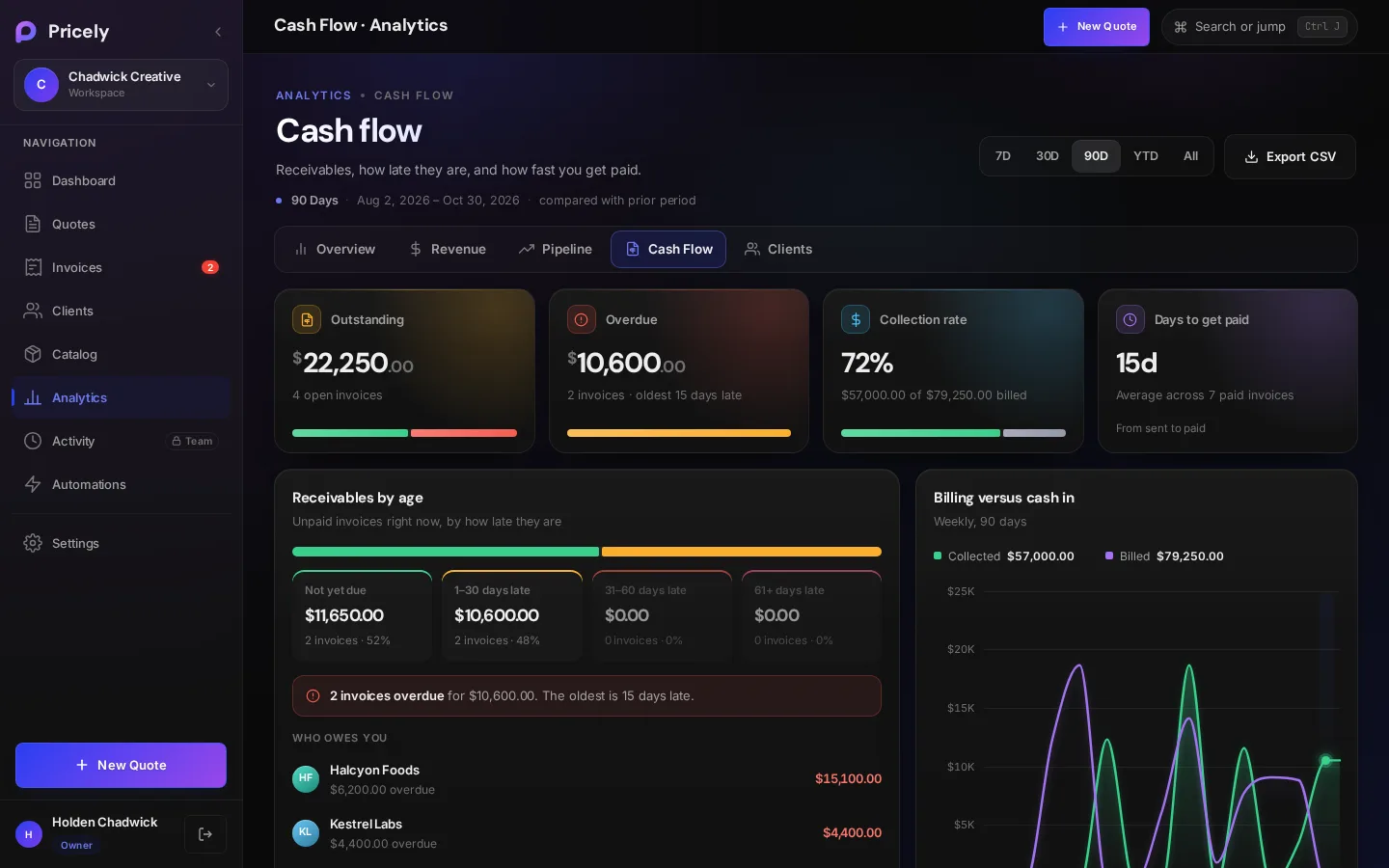
| Cash Flow | Who owes me, and how late? | Receivables by age, overdue invoices, what's due in the next two weeks, and days to get paid |
| Clients | Who are my best clients? | Client ranking, concentration of cash by client, and slow payers |
Key metrics
| Metric | How it's worked out |
|---|---|
| Collected | Payments received in the period. |
| Billed | Invoices issued in the period. Drafts are not included. |
| Quoted | The value of quotes created in the period. |
| Win rate | Won quotes as a share of decided quotes (won plus lost). Won means accepted by the client. |
| Collection rate | How much of what you billed has been paid. |
| Days to get paid | Average time from sending an invoice to it being paid. |
| Quote to invoice | How many won quotes have been invoiced. |
| Receivables by age | Unpaid invoices grouped as not yet due, 1–30, 31–60 and 61+ days late. |
The Revenue outlook needs a little history before it shows an estimate. Until then it reads Not enough history yet.
Export
Export CSV downloads the selected period: a summary of every metric, a period-by-period breakdown and receivables aging.
On the Free plan
Analytics needs Pro. On Free, the Analytics page explains what's included and links to plans. The dashboard still shows your key numbers on every plan.