Payments, credit notes and voids
Keep every balance accurate. Record what clients paid, credit what you owe them back, and void invoices that should never have gone out.
Card payments through Stripe are recorded for you. For anything else, such as a bank transfer, a check or cash, record the payment yourself so the balance stays correct.
Record a payment
- Open the invoice
Choose Record Payment in the invoice details, or the $ icon on the invoice's row.
- Enter the amount
Type any amount up to the balance due, or use a preset: Full Balance, 50% or 25%.
- Choose the method
Bank Transfer (ACH/Wire), Credit Card, Check, Cash, PayPal or Other.
- Add a note
Optional. For example Check #1234 or Ref: TXN-5678.
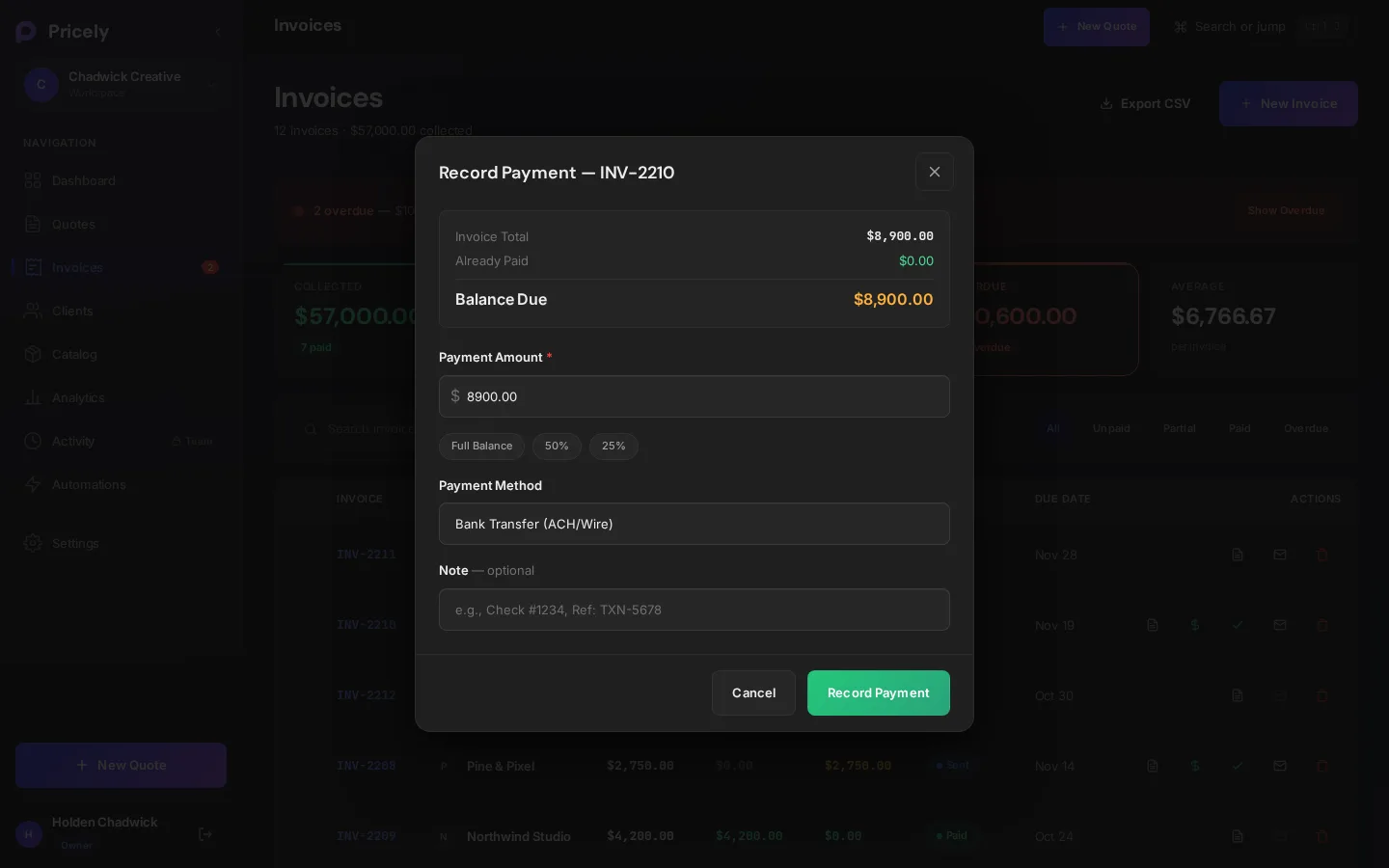
A payment smaller than the balance makes the invoice Partial. When the balance reaches zero it becomes Paid. Every payment appears in the invoice's Payment History and in the Activity log.
Issue a credit note
Use a credit note when you owe the client money back or need to reduce what they owe: a refund, an overcharge, a discount agreed after the sale.
- Choose Issue Credit
In the invoice details.
- Enter the credit amount
Up to the balance due, or use Full Credit or 50%.
- Pick a reason
Refund, Overcharge correction, Post-sale discount, Billing error, Goodwill credit or Other.
- Add notes
Optional detail about the credit.
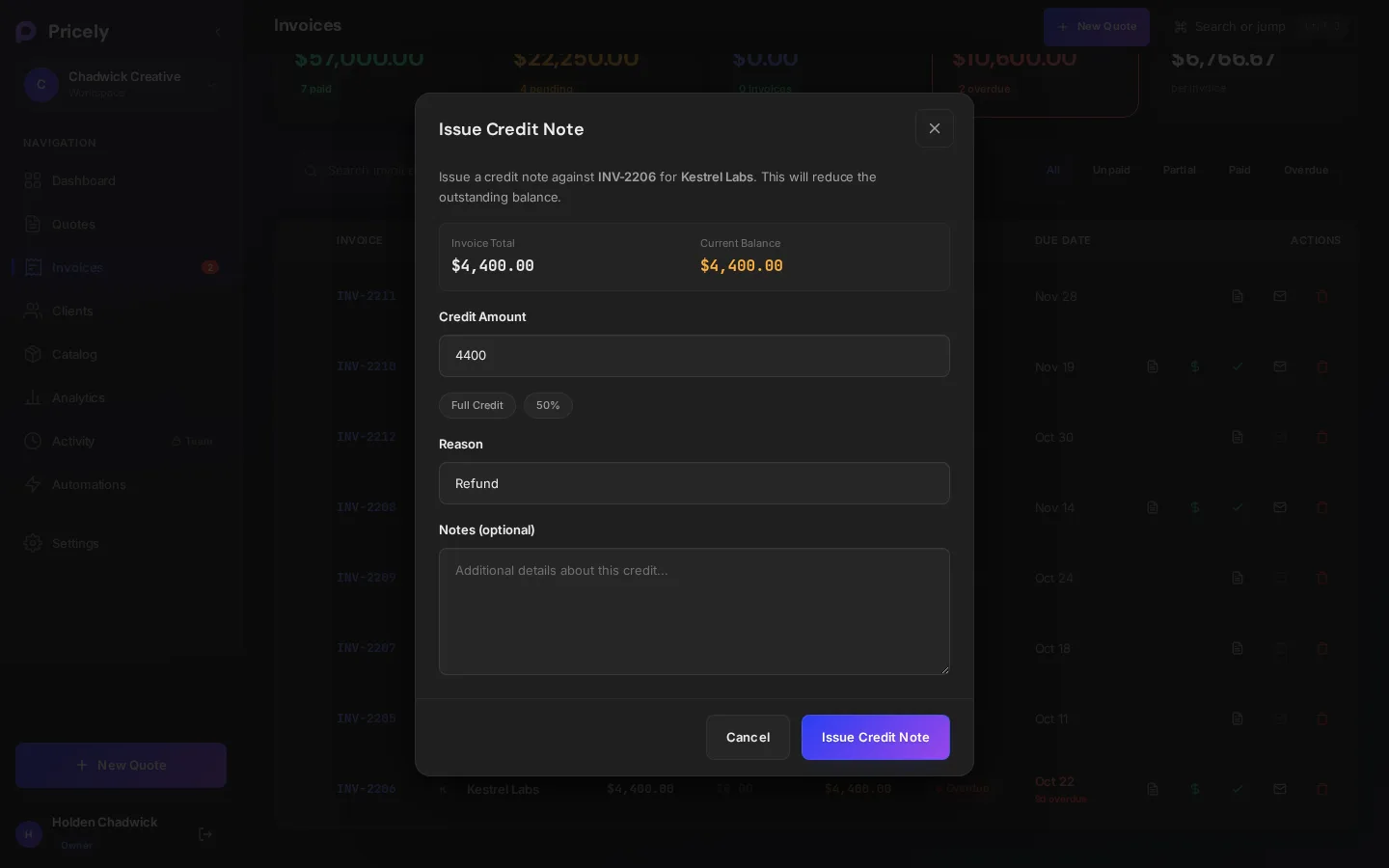
Pricely creates a numbered credit note (CN-0001, CN-0002…) and lowers the invoice balance by that amount. If the balance reaches zero, the invoice is marked paid. The credit is logged in the activity log.
Void an invoice
Void an invoice that was sent by mistake or replaced by a new one. Void Invoice is available on any invoice that isn't paid or already void.
- The invoice is marked Void and its total, amount paid and balance are set to zero.
- The invoice stays in your list, which maintains your audit trail.
Delete or void?
| Delete | Void | |
|---|---|---|
| Use for | Drafts and mistakes that never reached the client | Invoices the client has already seen |
| Record kept | No | Yes, at zero |
| Reversible | No | No |