Search and keyboard shortcuts
Find any document, client or page in a couple of keystrokes, and start new work without reaching for the mouse.
Open the command palette
Press Ctrl K (or Ctrl J) from anywhere in the app, or click Search or jump in the top bar. The same shortcut closes it again.
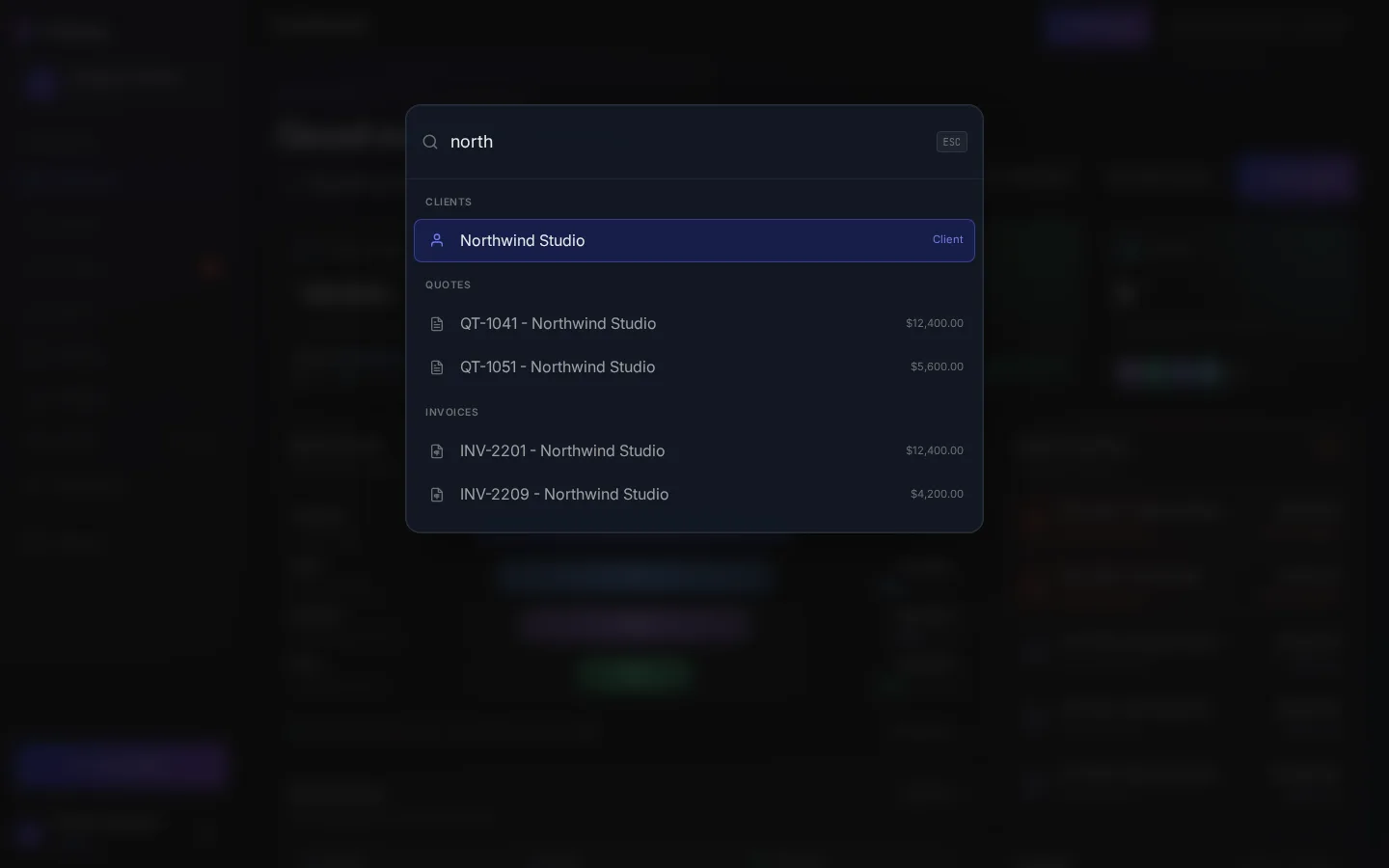
What it shows
With an empty search box you'll see the quick actions (Create New Quote, Create New Invoice and Add New Client) and a few pages to jump to. As you type in Search for clients, quotes, invoices, or commands..., results are grouped:
| Group | Matches on | Shows |
|---|---|---|
| Quick Actions | The action's name | Every match, with its shortcut key |
| Navigation | Go to Dashboard, Quotes, Invoices, Clients, Catalog, Reports or Settings | Every match (four when the box is empty) |
| Clients | Name or company | Top 3 |
| Quotes | Quote number or client name | Top 3, such as QT-0042 - Northwind Studio |
| Invoices | Invoice number or client name | Top 3 |
Search isn't case sensitive and matches any part of a word, so 0042 finds both QT-0042 and INV-0042. If nothing matches you'll see No results.
Move around the results
| Key | Does |
|---|---|
| ↑ ↓ | Move between results |
| Enter | Open the highlighted result |
| Esc | Close the palette |
Keyboard shortcuts
The single-letter shortcuts work anywhere in the app as long as you're not typing in a field and the palette is closed. They're ignored while Ctrl or Alt is held, so browser shortcuts keep working.
If a shortcut does nothing
- Click outside any text field first. Letters typed into a field are treated as text.
- Some browser extensions claim Ctrl K. Use Ctrl J or the Search or jump button instead.
- Anyone can open the palette and search. Whether you can then create a quote, invoice or client depends on your role.
Search these docs
The docs have their own search. Press Ctrl K or / on any docs page.