Quote statuses
Each quote carries one status. This page explains what each one means and what moves a quote to the next.
The usual path
A quote starts as a draft, goes out to the client, gets opened, gets accepted and is finally paid, usually through an invoice. Teams that use approvals add a review step before sending; see Quote approvals.
All statuses
| Status | Meaning | How it gets there |
|---|---|---|
| Draft | Being prepared. Only your workspace can see it. | New quotes, and rejected quotes returned for changes. |
| Pending approval | Waiting for an Admin or Owner to review. | A Member chose Submit for Approval. |
| Approved | Reviewed and ready to send. | An Admin or Owner chose Approve. |
| Sent | Delivered to the client. | Save & Send, Email or Mark as Sent. |
| Viewed | The client has opened the link. | Automatic, the first time the client opens a sent quote. |
| Accepted | The client said yes. Shown as Won in lists. | The client signed, or you used Accept or Mark Won. |
| Declined | The client said no. Shown as Lost in lists. | The client declined, or you used Decline. |
| Paid | The work has been paid for. | Mark Paid on an accepted quote. |
Expired
Expired isn't a separate status. When a quote's Expires On date passes, Pricely shows an Expired badge and the client can no longer accept or decline it. To reopen the offer, duplicate the quote and send the new copy.
Filters and quick actions
The Quotes page has filters for All, Draft, Sent, Viewed, Won, Paid and Lost, and a search box that matches quote number, client or amount. The cards at the top show Total Pipeline, Won Revenue and Avg Value.
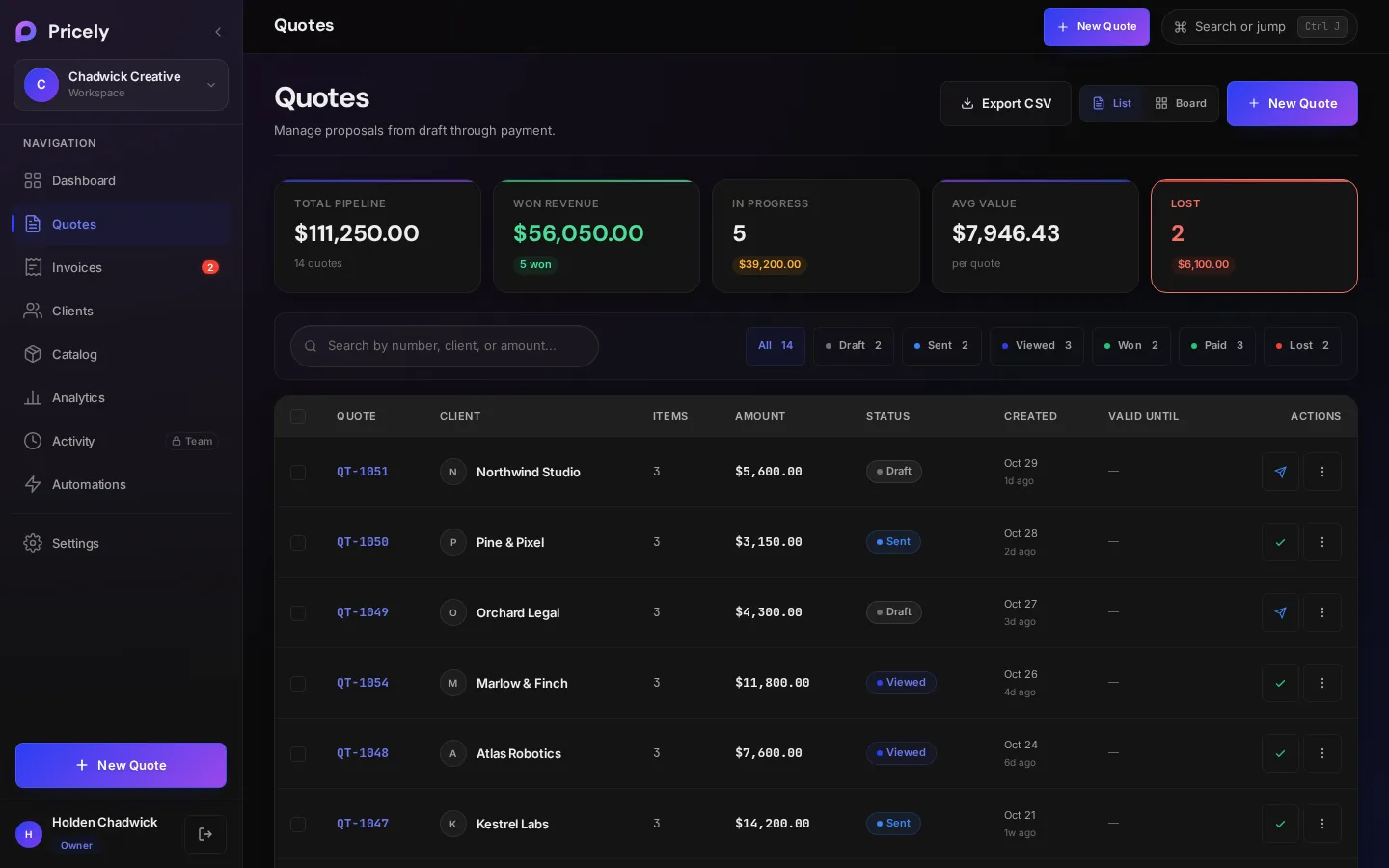
| Current status | Quick action in the list |
|---|---|
| Draft | Mark Sent |
| Sent or Viewed | Mark Won |
| Accepted | Mark Paid |
Select several quotes with the checkboxes to export them as CSV or delete them in one go.
Versions
Editing a quote after it has gone out increases its version number. The quote shows a v2 (or higher) badge and keeps a record of earlier versions, so you always know which revision the client saw.